Best Cybersecurity Practices to Stay Safe Online in 2025
In today’s digital era, the internet plays a central role in our lives. From online banking and shopping to remote work and entertainment, nearly every aspect of modern life involves the internet. However, with this convenience comes risk. Cybercrime has become more sophisticated than ever, with hackers using advanced methods such as artificial intelligence (AI)-driven phishing attacks, deepfake scams, and ransomware-as-a-service platforms. In 2025, staying safe online requires a proactive and comprehensive cybersecurity approach.
This article explores the best cybersecurity practices to protect yourself, your data, and your devices in 2025, helping you maintain privacy, prevent identity theft, and defend against digital threats.
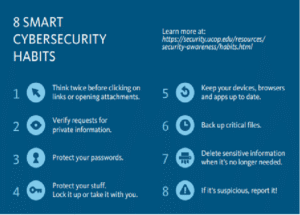
1. Keep Your Software and Systems Updated
One of the simplest yet most effective cybersecurity practices is to regularly update your software, operating system, and applications. Cybercriminals often exploit vulnerabilities in outdated software to gain unauthorized access. Software developers release patches and updates to fix security flaws and improve protection.
In 2025, many devices now feature automated update systems, but users should still ensure updates are enabled for:
-
Operating systems (Windows, macOS, Linux, Android, iOS)
-
Web browsers (Chrome, Firefox, Edge, Safari)
-
Antivirus and firewall programs
-
Smart devices and IoT gadgets
Neglecting updates can make you an easy target for cyberattacks. Always install updates promptly or schedule them to occur automatically.
2. Use Strong, Unique Passwords for Every Account
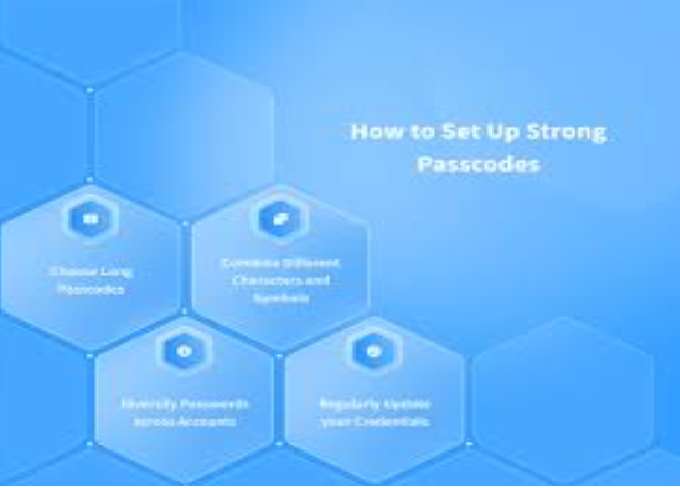
Weak passwords remain one of the biggest cybersecurity risks. In 2025, password-cracking technologies are more advanced, making short or common passwords easy to guess. To protect your accounts:
-
Use at least 12–16 characters combining uppercase, lowercase, numbers, and special symbols.
-
Avoid personal information like birthdays or names.
-
Use a unique password for every account to prevent domino-effect breaches.
For convenience and security, consider using a password manager. These tools generate and store complex passwords securely, allowing you to access them with a single master password. Popular password managers also offer biometric login and encrypted backups.
3. Enable Multi-Factor Authentication (MFA)
Even with strong passwords, your accounts can still be vulnerable. That’s why Multi-Factor Authentication (MFA) is essential. MFA adds an extra layer of security by requiring additional verification—such as a fingerprint, facial recognition, or one-time code sent to your phone—before granting access.
In 2025, MFA options include:
-
SMS-based codes (still common but less secure)
-
Authenticator apps (e.g., Google Authenticator, Authy, Microsoft Authenticator)
-
Hardware tokens (like YubiKey)
-
Biometric authentication (fingerprint, face ID, voice recognition)
Whenever possible, enable MFA for sensitive accounts such as email, banking, and social media.
4. Beware of Phishing and Social Engineering Attacks
Phishing remains one of the most widespread cyber threats. In 2025, phishing scams have evolved beyond suspicious emails. Attackers now use AI-generated messages, deepfake videos, and fake websites that mimic legitimate brands.
To protect yourself:
-
Verify sender information before clicking any links or attachments.
-
Hover over links to preview their actual URL.
-
Avoid sharing personal or financial details through email or messaging apps.
-
Be cautious of urgent requests (“Your account will be locked in 24 hours!”).
Organizations are now using AI-powered phishing detection tools, but personal vigilance is still your best defense.
5. Secure Your Home Network
Your home Wi-Fi is the gateway to your digital life. A weakly protected router can allow hackers to intercept data or access connected devices. To secure your network:
-
Change the default router username and password.
-
Use WPA3 encryption (the latest and most secure Wi-Fi standard).
-
Create a separate guest network for visitors or smart devices.
-
Turn off remote management features unless necessary.
-
Regularly reboot your router to clear potential malware infections.
Additionally, ensure all IoT (Internet of Things) devices—like smart TVs, cameras, and thermostats—are updated and secured with strong passwords.
6. Use a Reliable Antivirus and Firewall
A comprehensive antivirus and firewall solution remains a cornerstone of online security. Modern cybersecurity tools use AI to detect and block threats in real time, protecting you from malware, spyware, and ransomware.
Look for antivirus software that offers:
-
Real-time protection
-
Ransomware defense
-
Web and email scanning
-
Automatic updates
-
Cloud-based threat analysis
A firewall helps control incoming and outgoing network traffic, preventing unauthorized access to your system. Ensure your device’s built-in firewall is enabled or use a third-party one for extra security.
7. Stay Safe on Public Wi-Fi
Public Wi-Fi networks in cafes, airports, and hotels are convenient but notoriously unsafe. Cybercriminals can easily intercept unencrypted data or create fake hotspots to steal personal information.
When using public Wi-Fi:
-
Avoid online banking or sensitive transactions.
-
Use a Virtual Private Network (VPN) to encrypt your data.
-
Turn off automatic connection to open networks.
-
Forget the network after disconnecting.
A VPN masks your IP address and secures your internet traffic, ensuring privacy even on unsecured networks.
8. Backup Your Data Regularly
Data loss due to ransomware, hardware failure, or accidental deletion can be devastating. Regular data backups ensure that you can recover important files without paying ransom or losing information.
Best practices include:
-
Use the 3-2-1 rule: Keep three copies of your data, stored on two different media, with one copy offsite or in the cloud.
-
Automate backups to avoid human error.
-
Encrypt backup files to prevent unauthorized access.
Cloud backup services like Google Drive, OneDrive, and Dropbox now offer built-in ransomware protection and version history for easier file recovery.
9. Protect Your Privacy on Social Media
Social media platforms are gold mines for cybercriminals who exploit personal information to craft targeted attacks. In 2025, social engineering scams often use publicly available data to impersonate trusted individuals.
To safeguard your privacy:
-
Limit what you share—avoid posting sensitive details like addresses or travel plans.
-
Adjust privacy settings to control who can view your posts.
-
Avoid accepting requests from unknown profiles.
-
Think before you click on links or quizzes.
Cybercriminals can also use stolen photos or videos for deepfake scams, making it essential to stay cautious online.
10. Recognize and Avoid Deepfake Scams
One of the most alarming threats in 2025 is the rise of deepfakes—AI-generated videos or voices that impersonate real people. These are used in scams, political misinformation, and even corporate fraud.
Protect yourself by:
-
Verifying the source before trusting video or voice content.
-
Looking for inconsistencies such as unnatural blinking, mismatched lip movement, or distorted backgrounds.
-
Confirming through secondary channels (like phone calls or official websites).
Awareness and skepticism are key defenses against deepfake-based manipulation.
11. Be Cautious with Apps and Downloads
Malicious apps and downloads remain a significant source of malware infections. In 2025, cybercriminals often disguise malicious software as legitimate tools, games, or productivity apps.
To stay safe:
-
Download apps only from official stores like Google Play or Apple App Store.
-
Check reviews, permissions, and developer details before installing.
-
Avoid pirated software, as it often contains hidden malware.
-
Scan all downloads with antivirus software before opening.
By practicing careful downloading habits, you can drastically reduce your exposure to cyber risks.
12. Protect Against Ransomware Attacks
Ransomware continues to be one of the most damaging cyber threats, encrypting your files and demanding payment for decryption. In 2025, ransomware groups have become more organized and target individuals, businesses, and even government institutions.
To defend yourself:
-
Keep regular backups of important files.
-
Avoid clicking suspicious links or attachments.
-
Use reputable antivirus protection.
-
Disconnect infected systems immediately to prevent spreading.
Never pay the ransom—it does not guarantee recovery and may encourage further attacks. Instead, focus on prevention and recovery planning.
13. Secure Your Mobile Devices
Smartphones are now the primary targets for hackers due to their widespread use and storage of sensitive data. To secure your mobile devices:
-
Use a strong PIN or biometric lock.
-
Keep the operating system updated.
-
Install apps only from trusted sources.
-
Avoid rooting or jailbreaking your device.
-
Enable remote wipe in case your device is lost or stolen.
Mobile security apps can help detect malware, phishing links, and network vulnerabilities.
14. Practice Safe Online Shopping and Banking
E-commerce and online banking are convenient but carry risks such as credit card fraud and identity theft. To shop and bank safely online:
-
Use only secure websites (look for “https” and a padlock icon).
-
Avoid saving payment details on websites.
-
Use virtual credit cards or digital wallets (like PayPal or Apple Pay) for extra protection.
-
Monitor your statements regularly for unauthorized transactions.
In 2025, many banks also use AI-based fraud detection systems, but personal vigilance remains crucial.
15. Educate Yourself and Others About Cybersecurity
Cybersecurity awareness is your first line of defense. Many successful attacks occur because users are unaware of threats or best practices. Take time to:
-
Stay informed about new types of cyber threats.
-
Participate in cybersecurity training programs.
-
Teach family members, especially children and elders, about online safety.
Knowledge empowers you to recognize threats before they cause harm.
16. Use Encryption for Sensitive Communication
Encryption protects your messages, emails, and files from unauthorized access. In 2025, encryption tools are easier to use than ever. Consider using:
-
End-to-end encrypted messaging apps (Signal, WhatsApp, Telegram Secret Chats).
-
Encrypted email services like ProtonMail or Tutanota.
-
File encryption software for sensitive data storage.
By encrypting your communication, you ensure that only intended recipients can read your messages.
17. Manage Your Digital Footprint
Every online action leaves a trace—your digital footprint. Over time, this information can be used for profiling or targeted attacks. Reduce your footprint by:
-
Deleting unused accounts.
-
Clearing browser cookies and history regularly.
-
Reviewing data-sharing permissions.
-
Using privacy-focused browsers like Brave or Firefox.
Taking control of your online presence enhances both privacy and security.
18. Use AI-Based Security Tools
With the increasing complexity of cyber threats, AI-powered cybersecurity tools have become a must in 2025. These tools can detect unusual patterns, block attacks in real time, and predict potential threats before they occur.
Examples include:
-
AI-driven antivirus software that learns from user behavior.
-
Threat intelligence platforms that monitor global cyber activity.
-
Automated phishing detection and fraud prevention systems.
Leveraging AI enhances your ability to stay ahead of evolving cybercriminal tactics.
19. Protect Your Business or Workplace Data
If you run a business or work remotely, cybersecurity extends beyond personal protection. Business data breaches can lead to massive financial and reputational losses. Key practices include:
-
Implementing access controls and employee training.
-
Using secure cloud services.
-
Conducting regular security audits.
-
Creating an incident response plan.
Strong cybersecurity measures safeguard not only your personal information but also the integrity of your organization.
20. Conclusion
In 2025, the digital world continues to evolve rapidly, offering endless opportunities—and unprecedented risks. Cybercriminals are smarter, faster, and more resourceful, using advanced technologies to exploit even minor vulnerabilities. But with the right cybersecurity practices, you can stay one step ahead.
By keeping your systems updated, using strong passwords, enabling MFA, being cautious online, and staying informed, you can protect your personal and financial data from cyber threats. Cybersecurity is no longer optional—it’s a daily habit, a mindset, and a shared responsibility for everyone navigating the digital age.



Post Comment