Top 15 Tools and Frameworks Every Web Developer Should Know
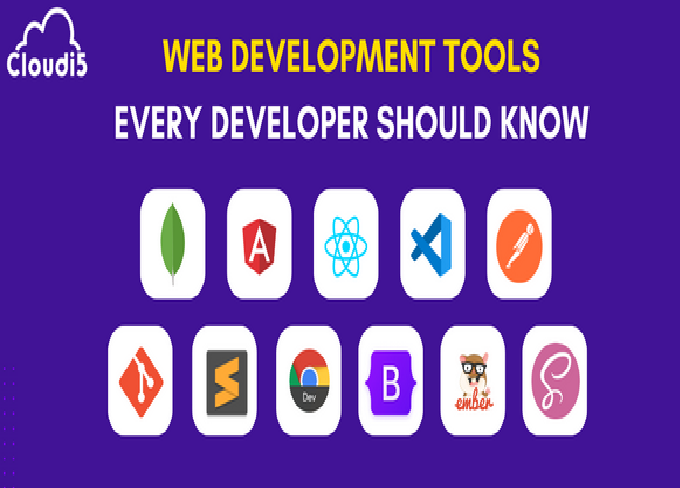
Modern web development moves fast. Whether you’re building a single-page app, a multi-tiered service, or a tiny marketing site, having the right tools and frameworks in your toolkit speeds development, improves reliability, and helps you deliver better user experiences. Below are 15 essential tools and frameworks every web developer should know — each explained with what it is, why it matters, when to use it, and a short tip to get started.
1. Git (and GitHub / GitLab / Bitbucket)
What it is: Git is a distributed version-control system; GitHub, GitLab, and Bitbucket are popular hosting platforms for Git repositories with collaboration features.
Why it matters: Version control is non-negotiable for teams and essential even for solo developers. It tracks changes, enables branching and merging, supports code reviews, and stores your project history.
When to use: Always. From prototypes to production, use Git for source control, feature branches, and releases.
Quick tip: Learn core commands (clone, add, commit, push, pull, branch, merge, rebase) and adopt a branching strategy like Git Flow or trunk-based development.
2. Node.js (and npm / Yarn / pnpm)
What it is: Node.js is a JavaScript runtime that runs outside the browser. npm (Node Package Manager), Yarn, and pnpm manage packages and scripts.
Why it matters: Node enables server-side JavaScript, build tooling, task runners, and package management. Most modern frontend toolchains (bundlers, linters, test runners) are Node-based.
When to use: Use Node for tooling, build processes, server-side apps (APIs), and full-stack JavaScript development.
Quick tip: Prefer pnpm for faster, less disk-hungry installs or Yarn for stability in some environments. Keep package.json scripts minimal and use npx for one-off tools.
3. React (or Vue / Angular)
What it is: React is a component-based UI library for building interactive user interfaces. Vue and Angular are alternative frontend frameworks with different philosophies.
Why it matters: Component-driven architectures scale well for complex UIs. React’s ecosystem (hooks, context, libraries) makes it a dominant choice.
When to use: For single-page applications (SPAs), complex interactive UIs, or when you want a large ecosystem and community support.
Quick tip: Learn component composition, hooks (or equivalent), and state management patterns. Prefer function components with hooks for new React projects.
4. TypeScript
What it is: TypeScript is JavaScript with optional static typing. It compiles to plain JavaScript.
Why it matters: Types catch errors early, improve IDE autocompletion, and make large codebases easier to maintain.
When to use: Use in medium-to-large projects or anywhere you want stronger tooling and safer refactors. Even small projects benefit from types when collaborating.
Quick tip: Start by enabling noImplicitAny and strict gradually. Migrate files one-by-one using allowJs if converting an existing JS project.
5. CSS Frameworks / Utility Libraries (Tailwind CSS, Bootstrap)
What it is: Tailwind is a utility-first CSS framework. Bootstrap is a component-driven CSS framework with ready-made UI components.
Why it matters: They speed up styling, provide responsive utilities, and reduce CSS boilerplate. Tailwind gives fine-grained control; Bootstrap provides quick prebuilt components.
When to use: Tailwind for custom, design-led apps; Bootstrap when you need fast, consistent UIs with minimal design work.
Quick tip: Use Tailwind’s configuration to define design tokens (colors, spacing) for consistency. With Bootstrap, learn the grid and utility classes.
6. Vite / Webpack / Parcel (Build Tools & Bundlers)
What it is: These are tools that bundle, transform, and serve frontend assets. Vite is a modern dev server + bundler that uses native ES modules for speed.
Why it matters: Build tools affect dev experience (fast reloads) and production bundle size/performance.
When to use: Use Vite for new frontend projects for fast startup and HMR. Use Webpack in legacy projects that rely on custom loaders/plugins.
Quick tip: Prefer zero-config tools like Vite for most apps; optimize production builds with code-splitting and tree-shaking.
7. Testing Frameworks (Jest, Testing Library, Cypress)
What it is: Jest is a JavaScript test runner. Testing Library focuses on testing UI components by their behavior. Cypress is an end-to-end (E2E) testing tool.
Why it matters: Tests increase reliability, prevent regressions, and make refactoring safer.
When to use: Unit tests with Jest, component/UI tests with Testing Library, and E2E tests with Cypress for user flows.
Quick tip: Write tests that assert behavior, not implementation details. Start by writing tests for critical paths (auth, payments, routes).
8. REST / GraphQL (API Technologies)
What it is: REST is an architectural style for APIs; GraphQL is a query language and runtime that lets clients request exactly the data they need.
Why it matters: Choosing the right API style affects performance, developer experience, and data-fetching complexity.
When to use: REST for simple CRUD APIs and broad compatibility; GraphQL for complex UIs needing flexible queries and aggregated data.
Quick tip: When using GraphQL, design clear types and leverage persisted queries or batching to avoid overfetching. Use tools like Apollo/Relay client-side.
9. Database ORMs / Query Builders (Prisma, TypeORM, Sequelize)
What it is: ORMs and query builders simplify database access with type-safety and abstractions (Prisma is a modern ORM with strong TypeScript support).
Why it matters: They speed development, help avoid SQL mistakes, and integrate well with application code.
When to use: Use an ORM when you want faster iteration and type-safety. Use raw SQL for complex queries that require optimal performance.
Quick tip: Use migration tools (Prisma Migrate, Flyway) alongside ORMs to keep schema changes reliable across environments.
10. Docker (and container orchestration basics)
What it is: Docker containers package your app and its dependencies into portable images. Kubernetes is the orchestration system for running containers at scale.
Why it matters: Containers ensure consistent environments across dev, staging, and production. They simplify deployment and scaling.
When to use: Use Docker for local reproducibility, CI builds, and when deploying microservices. Learn orchestration only when you need scaling/complex deployments.
Quick tip: Keep images small by using multi-stage builds and minimalist base images. Use Docker Compose for local multi-service setups.
11. CI/CD (GitHub Actions, GitLab CI, CircleCI)
What it is: Continuous Integration and Continuous Deployment services automate building, testing, and deploying code.
Why it matters: Automating tests and deployments reduces human error, ensures quality, and speeds release cycles.
When to use: Always set up CI for any collaborative project. Add CD when you want frequent, reliable releases.
Quick tip: Start with simple pipelines: run tests and linters on PRs, build artifacts on main, and deploy to staging only after successful checks.
12. Linting and Formatting (ESLint, Prettier)
What it is: ESLint enforces code quality rules. Prettier is an opinionated code formatter.
Why it matters: Consistent style and linting catch bugs early and reduce bikeshedding in code reviews.
When to use: In every JavaScript/TypeScript project. Add pre-commit hooks to run linters and formatters automatically.
Quick tip: Use eslint-config-prettier to avoid conflicts and husky + lint-staged to run checks only on staged files for speed.
13. State Management (Redux, Zustand, Recoil)
What it is: Libraries for managing application state across components. Redux is mature and predictable; Zustand is lightweight and simpler for many use cases.
Why it matters: As an app grows, managing shared state (auth, UI, caching) becomes essential for predictable behavior.
When to use: Use local component state when possible. Adopt Redux/Zustand/Recoil for complex or widely-shared state that crosses component boundaries.
Quick tip: Prefer simpler libraries (Zustand) or React Context + hooks for small to medium apps. Use devtools (Redux DevTools) to inspect state changes.
14. Server Frameworks (Express, Fastify, Next.js / Nuxt.js)
What it is: Express and Fastify are Node server frameworks. Next.js (React) and Nuxt.js (Vue) are meta-frameworks for server-side rendering (SSR) and hybrid apps.
Why it matters: These frameworks speed backend or full-stack app development, offering routing, middleware, SSR, static generation, and API routes.
When to use: Use Express/Fastify for custom APIs. Use Next.js/Nuxt.js for SEO-friendly web apps, hybrid SSR/SSG, and fast developer experience.
Quick tip: If you need SEO and fast Time-to-First-Byte, use Next.js with server-side rendering or incremental static regeneration.
15. Monitoring & Performance Tools (Sentry, New Relic, Lighthouse)
What it is: Tools that track errors, performance, and user experience in production. Sentry handles error reporting; Lighthouse audits performance and accessibility.
Why it matters: Shipping code is only half the battle. Observability helps you detect issues quickly and measure performance improvements.
When to use: Integrate error tracking and performance metrics before launch or as soon as you have users.
Quick tip: Set up Sentry for uncaught exceptions and performance traces; run Lighthouse audits regularly and add performance budgets in CI.
Putting It All Together: A Typical Modern Workflow
-
Start with a scaffold: Use Vite or Next.js to bootstrap your frontend with TypeScript and Tailwind.
-
Version control: Initialize Git, push to GitHub, and open a repo.
-
Local services: Use Docker Compose for local database and caching services.
-
Develop: Build components with React + TypeScript, manage state with Zustand, and style with Tailwind.
-
Test & lint: Write unit tests (Jest) and component tests (Testing Library). Use ESLint/Prettier enforced by pre-commit hooks.
-
CI/CD: Configure GitHub Actions to run tests, run Lighthouse audits, and build artifacts.
-
Deploy: Containerize with Docker for the backend or deploy Next.js statically or on a serverless platform.
-
Observe: Add Sentry for errors and monitor performance with server or APM tooling.
This workflow connects many of the tools above into a coherent developer experience that covers development, testing, deployment, and maintenance.
Choosing the Right Tools for Your Project
Not every project needs every tool. Here’s a simple decision guide:
-
Small static site / landing page: Vite + plain HTML/CSS or Next.js static export, Tailwind for quick styling.
-
Medium-sized SPA: React + Vite, TypeScript, Tailwind, Zustand, Jest, Vercel or Netlify.
-
Large application with many teams: Next.js (or equivalent) + TypeScript, Redux or domain-specific state management, Prisma + Postgres, Docker + Kubernetes, robust CI/CD and observability.
-
API-focused backend: Node + Fastify/Express, Prisma or raw SQL, Docker, CI pipeline, and monitoring.
Learning Roadmap & Practical Tips
-
Start with fundamentals: Git, HTML, CSS, and JavaScript — then add TypeScript.
-
Pick one frontend framework: Learn React (component model, hooks) or Vue/Angular deeply rather than skimming all three.
-
Tooling next: Get comfortable with Node, package managers, and a bundler (Vite).
-
Add productivity tools: ESLint, Prettier, and a testing framework early.
-
Practice deploying: Learn Docker basics and set up a simple CI pipeline to deploy to a cloud provider.
-
Keep iterating: Add monitoring and optimize performance as you gather users and data.
Final Thoughts
A modern web developer’s toolkit is as much about process as it is about specific technologies. The 15 tools and frameworks listed here are widely used because they solve recurring problems: version control, developer experience, predictable builds, reliable testing, scalable state, and observability. You don’t need to master them all at once — instead, pick the ones most relevant to your current projects, and slowly expand your toolkit as complexity grows. Invest a little time in good practices (typed code, tests, CI), and you’ll save far more time down the road.





Post Comment